Proof
Compare seller photos, option labels and product details before saving the row.
 Open Products
Start with the product type, then compare the live listing, selected option, seller proof and likely parcel weight before saving the row. Use the spreadsheet only when it helps you decide whether to buy, request QC photos, hold the item or skip it.
Pick a product category first, then return to the spreadsheet checks when a row needs sizing, QC photos or shipping value.
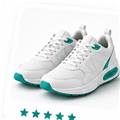
Sneakers, shoe finds and size checks.
Open category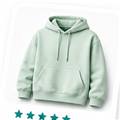
Hoodies, sweaters and tracksuits.
Open category
Bag finds, straps and hardware details.
Open category
Models, plugs, batteries and routes.
Open category
Print, fabric and size notes.
Open category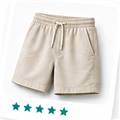
Fit, length and material checks.
Open category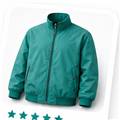
Jackets, coats and parcel weight.
Open category
Socks, toys, small items and add-ons.
Open categoryBefore opening a product path, check whether the spreadsheet row explains what the buyer wants, which option is selected, what proof is visible and which photo should be requested at QC. This keeps the page useful for shoppers instead of becoming a random list of links.
Compare seller photos, option labels and product details before saving the row.
Ask for the photo angle that answers the real risk: size label, outsole, material, logo, plug or packaging.
Check estimated weight, domestic freight, route limits and customs value before shipping.
No. It is an independent spreadsheet-style guide. Use the original product page and current seller information before making any order decision.
A row is ready when the source link, selected option, seller proof, QC need and shipping value are clear enough to choose buy, hold, exchange, return or remove.
US buyers often need extra attention on weight, route value, customs notes and QC photos, so the spreadsheet should separate those decisions before payment.